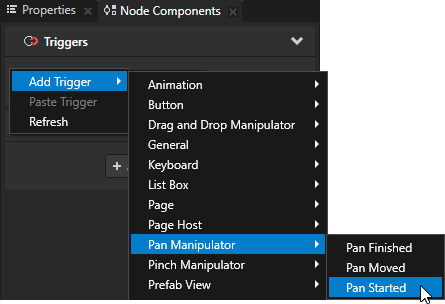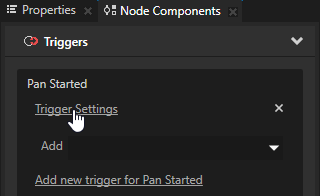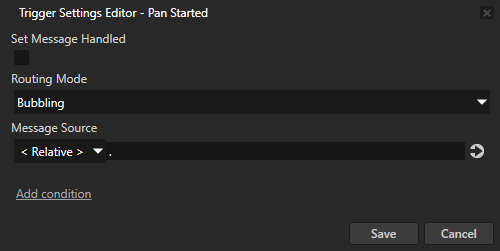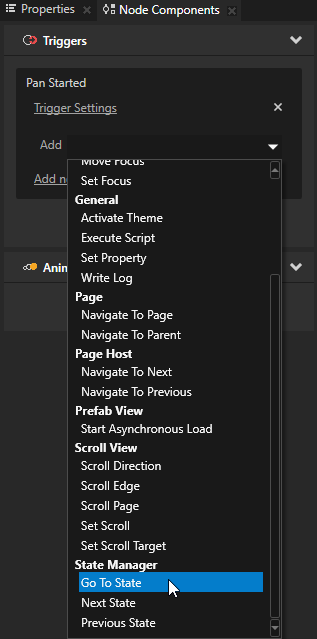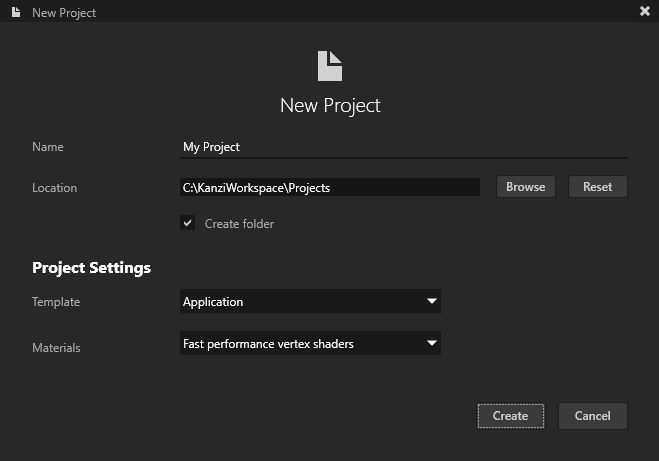
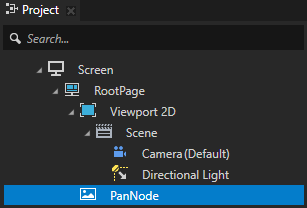
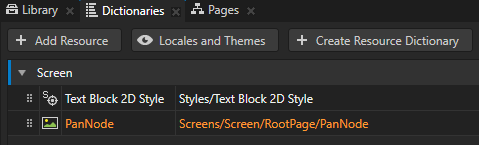
For example, create an Image node and name it PanNode.
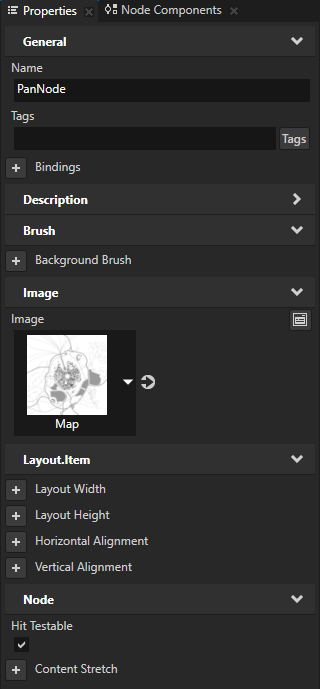
When you enable this property you enable the user to pick a node.
By default hit testing is enabled for the Button, List Box Item Container, Scroll View, and Slider nodes. See Defining which node receives user input.
Kanzi Studio creates an alias pointing to the node from which you created the alias and adds it to the resource dictionary of its nearest ancestor node that contains a resource dictionary.
Access alias target nodes using the
# sign followed by the name of the alias.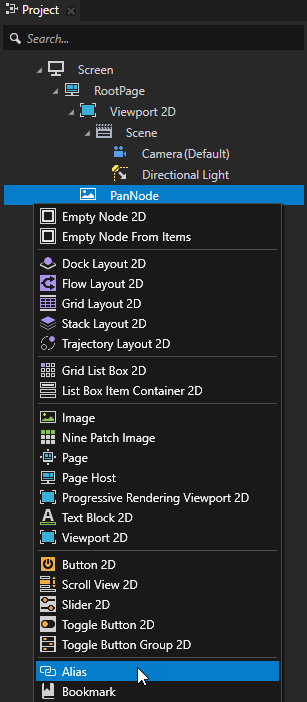
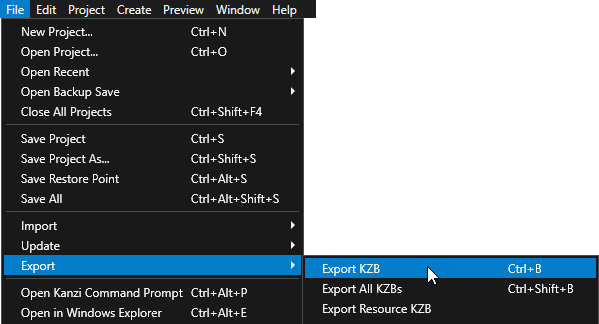
Kanzi Studio creates the kzb file and configuration files from your Kanzi Studio project. Kanzi Studio stores the exported files in the <ProjectName>/Application/bin directory or the location you specify in the Binary Export Directory property in > . The kzb file contains all nodes and resources from your Kanzi Studio project, except the resources you mark in a localization table as locale packs.
When you run your Kanzi application from Visual Studio, your application loads the kzb file and configuration files.
- Define the handlers for the pan messages.
For example, after the public section of the class which implements the logic of your application add:private: // Define the handler for thePanManipulator::StartedMessagemessage from 2D nodes // that have an input manipulator which generates pan messages. // This handler prepares a 2D node for a pan gesture. void onPanStarted(PanManipulator::StartedMessageArguments& messageArguments) { // Get from the message arguments the node that the user pans. Node2DSharedPtr node2d = dynamic_pointer_cast<Node2D>(messageArguments.getSource()); if (!node2d) { return; } // When starting a pan gesture on the node, bring the node to front. node2d->moveToFront(); } // Define the handler for thePanManipulator::MovedMessagemessage from 2D nodes // that have an input manipulator which generates pan messages. // This handler translates a 2D node by the amount of the pan gesture. void onPanMoved(PanManipulator::MovedMessageArguments& messageArguments) { // Get from the message arguments the node that the user pans. Node2DSharedPtr node2d = dynamic_pointer_cast<Node2D>(messageArguments.getSource()); if (!node2d) { return; } // Get the distance in pixels that the pan has progressed // since the last message in the pan gesture sequence. Vector2 translationDelta = messageArguments.getDelta(); // Get the Render Transformation property of the node. SRTValue2D nodeTransform = node2d->getRenderTransformation(); // Get the size of the node. Vector2 nodeSize = node2d->getActualSize(); // Get the current translation of the node. Vector2 translation = nodeTransform.getTranslation(); // Apply the translation from the pan message. Vector2 translationTarget = translation - translationDelta; // Set the new translation. nodeTransform.setTranslation(translationTarget); // Apply the new transform to the node. node2d->setRenderTransformation(nodeTransform); } - In the
onProjectLoaded()function create aPanManipulatormanipulator and subscribe to its messages.
For example, add:virtual void onProjectLoaded() KZ_OVERRIDE { ScreenSharedPtr screen = getScreen(); Domain* domain = getDomain(); // Get the PanNode using its alias. NodeSharedPtr panNode = screen->lookupNode<Node>("#PanNode"); // Create an input manipulator that generates pan messages. PanManipulatorSharedPtr panManipulator = PanManipulator::create(domain); // Set the threshold in pixels on the horizontal and vertical axis that the finger // or mouse has to move before the input manipulator recognizes the pan gesture. panManipulator->setRecognitionThreshold(Vector2(10.0f, 10.0f)); // Add the input manipulator to the PanNode. panNode->addInputManipulator(panManipulator); // Subscribe to thePanManipulator::StartedMessagemessage at the PanNode. // ThePanManipulatorgenerates this message when the user clicks or touches the attached node. panNode->addMessageHandler(PanManipulator::StartedMessage, bind(&MyProject::onPanStarted, this, placeholders::_1)); // Subscribe to thePanManipulator::MovedMessagemessage at the PanNode. // ThePanManipulatorgenerates this message initially when the user moves their finger or mouse // on the horizontal or vertical axis more than the recognition threshold, and after that // when the finger or mouse has moved between updates. panNode->addMessageHandler(PanManipulator::MovedMessage, bind(&MyProject::onPanMoved, this, placeholders::_1)); }
In the application click and drag or tap and drag the node for which you enabled the pan gesture.